What is Google Tag Manager Consulting?
GTM consulting is what happens when you bring in a specialist to review, redesign, and fix how your website sends data to marketing and analytics platforms. GTM sits between your website and tools like GA4, Google Ads, Meta, and LinkedIn. When it's configured correctly, every click, form submission, and purchase flows cleanly to the right destination. When it's not, you lose conversions, break compliance, and make decisions on incomplete data.
Waftr's approach starts with the infrastructure, not the tags. We design your data layer, container architecture, and consent logic before deploying a single tag. That prevents the tag bloat, duplicate events, and orphaned scripts that show up in most GTM containers within 6 months of launch. Need a dedicated deep-dive into your container health first? Check out our GTM health check service.
Your Website's Data Control Center
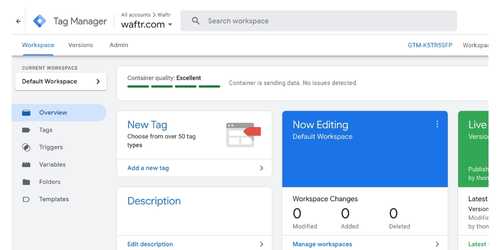
Think of Google Tag Manager as the switchboard between your website and every tool that needs data from it. Without it, developers hardcode tracking scripts directly into your site. New tool? Code deployment. Remove a tool? Another deployment. GTM moves that control into a visual interface where tags, triggers, and variables can be managed, tested, and published without touching source code.
But here's the thing: GTM is powerful enough to create serious problems when it's misconfigured. A tag firing on the wrong page inflates your GA4 reports. A missing consent check creates GDPR exposure. A bloated container adds seconds to page load. These aren't edge cases. We see at least one of these issues in the majority of containers we review. Usually more than one.
How We Approach GTM Consulting
Every business runs a different marketing stack, targets different KPIs, and sits at a different stage of data maturity. A cookie-cutter GTM setup ignores all of that. We start every engagement by understanding your business before touching your container. New GTM build from scratch? We do that. Existing setup that's drifted or broken over time? We fix that too.
End-to-End Stack Analysis
The first thing we do is pull up your existing setup and look at it through the lens of your actual business goals. We map your full marketing stack: GA4, CRM, paid channels (Google Ads, Meta, LinkedIn), and whatever you're using for heatmaps and session recording. Everything gets reviewed end to end before we recommend a single change.
Your Account, Your Infrastructure
We set up the container in your account. All we need is edit access. You don't share credentials, you don't export data, you don't hand over ownership. We work entirely inside your infrastructure, so you see everything we're doing from day one through post-launch.
Complete Container Review
We go through consent mode configuration, dataLayer implementation, custom JavaScript, and custom HTML tags line by line. If something needs a site-level code change, we coordinate directly with your Web Operations team to get it done.
Right GTM Tier for Your Business
Not every business needs server-side GTM. And most don't need GTM 360. We'll tell you straight up which architecture fits based on your traffic volume, privacy requirements, team size, and budget. If client-side GTM is enough, that's what we'll recommend. We don't upsell infrastructure you won't use.
CRM and Form Integration
We wire your website forms directly to your CRM through GTM. Lead submits a form, data lands in HubSpot, Salesforce, Zoho, or whatever you're running. No manual exports, no CSV uploads, no "I thought you were tracking that" conversations between marketing and sales.
Marketing Automation Wiring
Mailchimp, ActiveCampaign, Klaviyo, and similar tools can all be connected through GTM. We set up the event triggers and data layer pushes so your automation sequences get accurate behavioral data from your website, no extra tracking scripts cluttering the page.
New Business? Setting Up Everything from Scratch?
If you're a new business building your measurement infrastructure from scratch, check out our Stacks. We've got Foundation and Growth plans. Pick the tier that matches your stage, and we'll build the entire analytics stack: GTM, GA4, consent mode, ad platform integrations, and CRM connections, all in one engagement.
Not Sure Which GTM Setup You Need?
Client-side, server-side, or GTM 360? We'll assess your traffic, privacy needs, and budget, then recommend the right architecture. No guesswork.
Talk to a GTM ConsultantThe Three GTM Architectures
Google Tag Manager isn't one product. It's three distinct tiers, each solving different problems at different scales. Picking the wrong one costs you either money (overbuilt) or data (underbuilt) for years. Most consultancies skip this conversation entirely. We don't.
Client-Side GTM
Tags run inside the visitor's browser. Free, simple to set up, and the starting point for most businesses. But ad blockers can prevent tags from firing, Safari caps cookies at 7 days, and every tag adds JavaScript weight to your page load.
- Free to use, no hosting costs
- Visual tag, trigger, variable editor
- 3 workspaces, preview mode, version history
- Vulnerable to ad blockers and ITP
Server-Side GTM
Tags run on your own cloud server instead of the visitor's browser. Data flows through a first-party subdomain (like data.yoursite.com), so browsers treat it as your own traffic. Ad blockers can't block it. Cookies persist for months instead of days. Your page loads faster because all tag processing happens server-side.
- Bypasses ad blockers and browser restrictions
- First-party cookies: up to 400 days vs 7
- Zero JavaScript added to page load
- Filter and enrich data before it leaves your server
- Write directly to BigQuery for raw data ownership
GTM 360
GTM 360 is the enterprise tier, part of the Google Marketing Platform subscription. It adds governance features for large organizations: unlimited workspaces so multiple teams can work without overwriting each other, approval workflows that prevent unauthorized changes from reaching production, and zones that let you safely delegate container sections to third-party vendors.
- Unlimited simultaneous workspaces
- Approval workflows: draft, review, publish
- Zones for controlled third-party access
- Enterprise SLA and dedicated Google support
- Works with both client-side and server-side
Why Server-Side GTM Changes Everything
Client-side tracking worked fine in 2018. In 2026, between ad blockers, Safari ITP, Firefox ETP, and privacy-first browsers like Brave (which has crossed 1 million daily active users), you're measuring a fraction of what actually happens on your site. And this isn't just an enterprise problem anymore. Even a business doing 30K monthly sessions is losing enough marketing data to throw off ad spend decisions. Server-side GTM isn't an upgrade. It's the correction for a tracking setup that browsers have been quietly dismantling for years.
What Server-Side GTM Actually Does
Instead of loading tag scripts in the browser, your website sends one lightweight request to a subdomain you control (like data.yoursite.com). Your sGTM server picks up that request, enriches it if needed, then forwards it to GA4, Google Ads, Meta, TikTok, or wherever it needs to go. The browser never sees a third-party request. Ad blockers have nothing to block. ITP doesn't apply because the cookies are genuinely first-party.
You also get full control over the data pipeline. Before anything reaches a third-party platform, your server can strip PII, add server-side parameters, or write a copy directly to BigQuery for raw event-level ownership. That kind of control simply isn't possible with client-side tags, where data leaves the browser and goes straight to the vendor with no interception layer.
sGTM Hosting and Cost-Effective Alternatives
We deploy sGTM through GCP (Google Cloud) when you want full infrastructure control, Stape when you want cost-effective managed hosting, or TAGGRS for European-hosted compliance-first setups. We only recommend third-party hosting when it actually makes sense for your traffic and budget. Every sGTM engagement includes first-party domain routing, server-side tag templates, Enhanced Conversions for Google Ads, Meta Conversions API, and consent signal passthrough.
Think sGTM hosting costs are too steep right now? We can set up GTM Gateway with a Cloudflare configuration instead. You get some of the ad-blocker bypass benefits at a fraction of the infrastructure cost. It's not a full replacement for sGTM, but for businesses under 100K monthly sessions, it's often the smarter first step.
What Breaks Without Proper GTM Infrastructure
These aren't hypothetical. They're the exact problems we find in the first week of every engagement. If your GA4 data looks off, the root cause is almost always sitting inside your GTM container.
Invisible Data Loss from Ad Blockers and Privacy Browsers
Brave has crossed 1 million daily active users. Safari ITP caps cookies at 7 days. Firefox ETP blocks third-party trackers by default. Your client-side tags simply never fire for these visitors. You're making budget decisions on 60% of your actual traffic and calling it complete data.
Phantom Conversions and Inflated Metrics
Duplicate tags firing on the same event. Purchase tags on non-purchase pages. Custom HTML scripts running globally instead of on targeted triggers. Your GA4 says 200 conversions but your CRM shows 140. Which number do you trust? Neither, until you fix the container.
Consent Gaps That Create Legal Exposure
Marketing pixels dropping cookies before the user even sees the consent banner. No default consent state configured in GTM. Tags ignoring consent mode signals and firing regardless. You're one privacy review away from GDPR fines that can reach 4% of global annual revenue.
Page Speed Penalties from Tag Bloat
Legacy tags from expired campaigns. Three versions of the Facebook pixel stacked in one container. Abandoned A/B testing scripts still loading on every page. Each unnecessary tag adds 200-400ms. Core Web Vitals drop, Google ranks you lower, and conversion rates fall with every extra second.
Broken CRM and Form Handoffs
Form submissions that never reach your CRM. Lead data stuck in a spreadsheet someone updates manually on Fridays. No visibility into which marketing channel generated the lead. Sales blames marketing for bad leads. Marketing blames the website. Sound familiar?
Disconnected Marketing Stack
GA4 tracks one set of events. Your ad platforms see different numbers. Your heatmap tool captures sessions that GA4 misses. Your marketing automation fires emails based on incomplete data. Every tool tells a different story because there's no single source of truth connecting them.
What Waftr's GTM Consulting Delivers
Every engagement has a defined scope. You'll know exactly what gets built, what gets tested, and what your team takes ownership of at the end.
Container Architecture
Workspace separation, naming conventions, folder organization, and version control. We build containers that stay clean 12 months after launch, not just on day one. That's the part most agencies skip.
Conversion Tracking: GA4, Google Ads, Meta CAPI
GA4 events, Google Ads conversions, Meta Pixel, LinkedIn Insight, TikTok Pixel, and whatever else your stack needs. Every tag gets proper trigger scoping. No "fire on all pages" shortcuts.
Data Layer Design
Page metadata, user properties, ecommerce objects, and custom event parameters, all in a structured schema. Your developers get a clear spec they can actually implement. GTM gets clean, predictable data.
Consent Mode V2
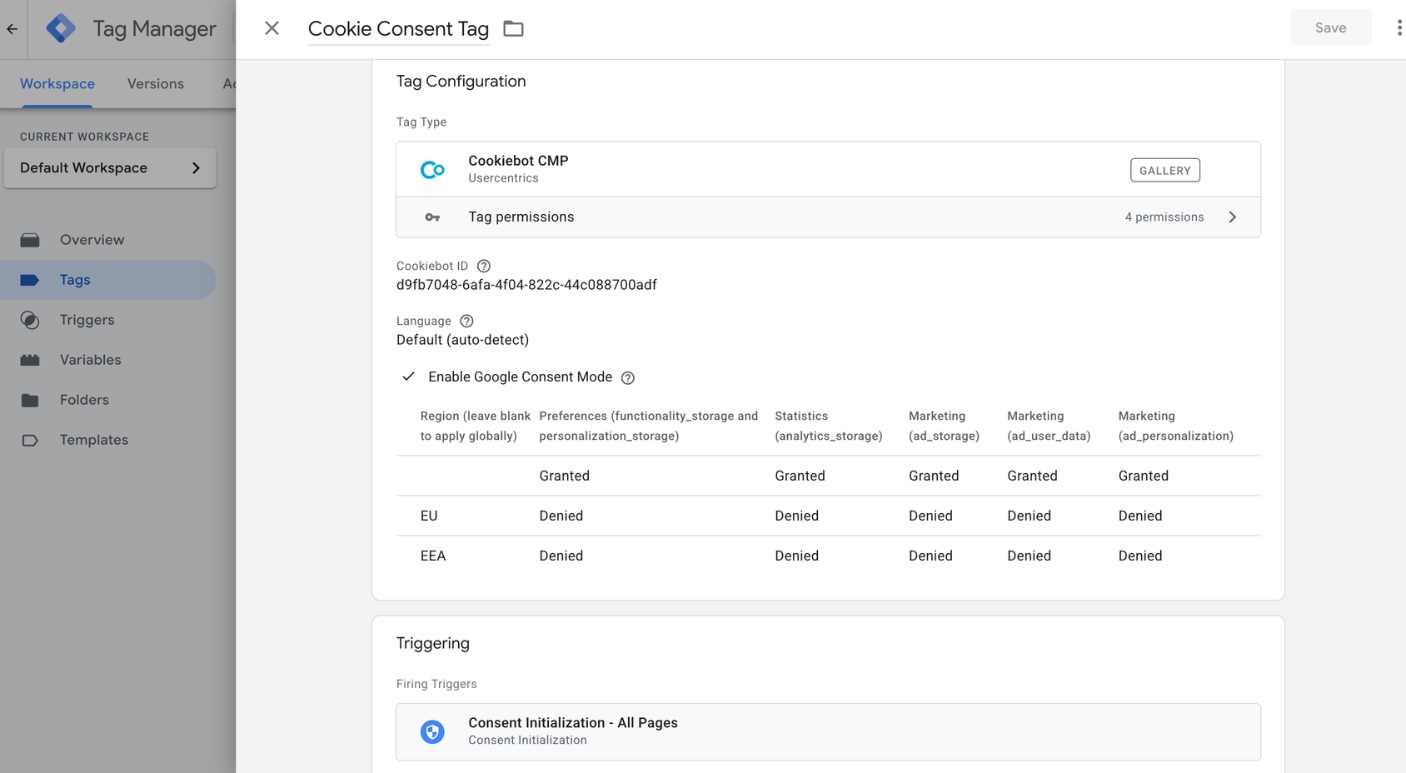
Default and update consent commands wired to your CMP (Cookiebot, OneTrust, or custom). Tags respect consent signals before firing. GDPR, CCPA, and DPDP compliant by configuration. Google's behavioral modeling recovers conversion data from users who decline cookies.
Server-Side GTM
Cloud-hosted sGTM on GCP, Stape, or TAGGRS. First-party domain routing, server-side tag templates, Enhanced Conversions for Google Ads, Meta Conversions API, and consent signal passthrough. GTM Gateway with Cloudflare available as a lighter alternative.
CRM and Marketing Automation
GTM-powered form tracking that routes lead data directly to your CRM (HubSpot, Salesforce, Zoho). Marketing automation tools like Mailchimp, ActiveCampaign, and Klaviyo connected via GTM triggers so nurture sequences start automatically on form submission or key behavioral events.
QA, Documentation, and Training
We test tag firing across Chrome, Safari, Firefox, Brave, and mobile. Every consent state gets validated. You get full documentation of every tag, trigger, and variable, plus team training so your people can manage the container without us.
GTM Technical Debt Cleanup & Audits
Dead tags from expired campaigns, duplicate conversion scripts, orphaned triggers with no associated tags, and custom HTML that should've been native templates years ago. We audit the full container, flag every piece of technical debt, and clean it out.
Ready to Fix Your Tracking?
Tell us what's broken. We'll tell you exactly what it takes to fix it.
Talk to a GTM ConsultantOur 4-Phase GTM Implementation Process
Four phases. Clear deliverables at each gate. You approve every phase before the next one starts, and nothing ships to production without your sign-off.
Discovery and Assessment
Week 1We start by understanding your business, not just your container. We analyze your existing web setup against your KPIs, map your full marketing stack (GA4, CRM, Google Ads, Meta, LinkedIn, heatmap and session recording tools), and review every tag, trigger, and variable in your GTM container. We test firing behavior across Chrome, Safari, Firefox, Brave, and mobile browsers, then cross-reference consent mode signals to find gaps.
Architecture Design and GTM Tier Selection
Weeks 2-3Now we know what's broken. This phase is about designing what "fixed" looks like: dataLayer schema, tag naming conventions, folder structure, trigger taxonomy, consent mode blueprint. The big decision here is architecture tier. sGTM, GTM Gateway, or client-side? That depends on your traffic volume, privacy requirements, and budget.
Build and Deploy
Weeks 3-5Everything gets built in a dedicated GTM workspace inside your account. Your live container stays untouched until launch day. Tags get configured, tested in preview mode, and checked against the architecture doc. sGTM in scope? We'll provision the cloud container, set up first-party domain routing, and deploy server-side templates. CRM form integrations and marketing automation connections get wired here too. If your dev team needs to make site-level changes, we'll coordinate directly.
Validate, Document, and Train
Week 6After publish, we run validation across Chrome, Safari, Firefox, Edge, Brave, iOS, and Android. Every consent state gets tested: full consent, partial, and full denial. We compare container load-time benchmarks against your pre-launch baselines. Then comes the handoff. Your team gets full documentation, a recorded training session, and 30 days of post-launch support for anything that comes up.
GTM Free vs GTM 360: When Enterprise Matters
Most businesses run fine on the free version of GTM. But if you have multiple teams editing one container, need change approval before tags go live, or work with third-party vendors who need controlled tag access, GTM 360 exists for exactly those problems.
| Feature | GTM (Free) | GTM 360 (Enterprise) |
|---|---|---|
| Simultaneous Workspaces | 3 maximum | Unlimited |
| Approval Workflows | Not available | Draft, review, publish |
| Zones | Not available | Delegate container sections to vendors |
| Multi-Environment Testing | Preview mode only | Full multi-environment support |
| Support | Community forums | Dedicated Google support with SLA |
| Server-Side GTM | Available (separate setup) | Available (separate setup) |
| Cost | Free | Google Marketing Platform subscription |
Waftr implements both tiers. During the discovery phase, we assess whether your team size, change management needs, and vendor relationships warrant the upgrade to 360, or whether the free tier with proper architecture is sufficient.
What Changes After GTM Consulting
Two categories of outcomes. New infrastructure that didn't exist, and existing problems that get eliminated.
Results from Recent GTM Engagements
A B2B SaaS company discovered 34% of their Google Ads conversions were duplicates caused by a misconfigured trigger. After cleanup, their actual CPA dropped from $180 to $112 overnight, not from better ads, but from accurate data.An ecommerce brand running on WooCommerce had 23 custom HTML tags in their container, 9 of which were from campaigns that ended over a year ago. Removing the dead tags cut their container load time by 1.8 seconds. Their bounce rate dropped 11% in the first two weeks.
A lead-gen company couldn't figure out why their HubSpot lead count never matched their GA4 form submissions. Turned out their Contact Form 7 setup was firing the GTM trigger twice on mobile Safari. One dataLayer fix, and the numbers lined up within a day.
Systems Built From Scratch
- Structured data layer feeding GA4 with clean event parameters
- Consent mode V2 enforcing tag-level compliance across all platforms
- Server-side GTM processing conversions outside browser restrictions
- CRM form integrations and marketing automation connections via GTM
- Enhanced Conversions for Google Ads and Meta Conversions API via sGTM
- Complete documentation covering every tag, trigger, and variable
Problems Eliminated
- Duplicate tags removed, phantom conversions eliminated from reports
- Legacy scripts from expired campaigns cleaned from the container
- Trigger scoping tightened so tags fire only on intended pages
- Custom HTML scripts replaced with native GTM tag templates
- Tag load sequence optimized, recovering 1-3 seconds of page load time
Google Tag Manager Consulting FAQ
It's a structured engagement where a GTM specialist digs into how your website sends data to analytics and marketing platforms, then fixes or rebuilds the setup. We're talking container architecture, data layer design, tag deployment, trigger logic, consent mode, CRM connections, and server-side configuration. The goal? Every platform you rely on gets accurate data from a single, well-organized GTM container.
Waftr always works inside your own GTM account. All we need is edit access to the container. Your infrastructure, your data, your ownership. We never ask you to share credentials or move containers to external accounts. You keep full control throughout the engagement and after it ends.
Client-side GTM runs tags in the visitor's browser. It is free and simple but vulnerable to ad blockers, privacy browsers like Brave (which has crossed 1 million daily active users), cookie restrictions from Safari ITP, and page speed penalties. Server-side GTM runs tags on your own cloud server using a first-party domain. This bypasses ad blockers, extends cookie lifespan from 7 days to up to 400 days, removes JavaScript overhead from page load, and gives you full control over what data reaches third-party platforms.
Not necessarily. With privacy-first browsers like Brave crossing 1 million active users and ad blockers becoming standard, even smaller companies are losing enough marketing data to justify the investment. That said, if full sGTM hosting feels too expensive right now, we can set up GTM Gateway with a Cloudflare configuration as a lighter alternative. We deploy sGTM through GCP for full control, Stape for cost-effective managed hosting, or TAGGRS for European-hosted setups. We only recommend what is necessary for your situation.
Yes. Waftr connects CRM platforms like HubSpot, Salesforce, and Zoho with the forms on your website using GTM. When a visitor submits a form, GTM captures the submission data and routes it to your CRM automatically. We also wire marketing automation tools like Mailchimp, ActiveCampaign, Klaviyo, and others through GTM so lead data flows directly into your nurture sequences without manual intervention or separate tracking scripts.
GTM 360 is the enterprise tier of Google Tag Manager. It adds unlimited workspaces for large teams, approval workflows that prevent unauthorized tag publishing, zones that let you delegate container sections to third parties, and a Google SLA with dedicated support. Businesses that need GTM 360 typically have multiple teams editing the same container, strict change management requirements, or third-party vendors who need controlled tag access.
Yes. Every GTM engagement includes consent mode V2 configuration. Waftr sets default consent states that block tags before user interaction, wires your CMP (Cookiebot, OneTrust, or custom) to GTM triggers using update commands, and validates that every tag respects consent signals before firing. Google uses behavioral modeling to recover conversion data from users who decline consent, so properly configured consent mode protects compliance without destroying your analytics.
If you're setting up everything from the ground up, check out our Stacks. We've got Foundation and Growth plans that bundle GTM, GA4, consent mode, ad platform integrations, and CRM connections into one engagement. Pick the plan that matches your business stage, and we'll build the full analytics and tracking infrastructure.
A standard client-side GTM implementation takes 3 to 5 weeks depending on the number of platforms and complexity of your data layer. Adding server-side GTM extends the timeline by 1 to 2 weeks for cloud infrastructure, first-party domain routing, and server-side tag configuration. Every engagement includes 3 months of free post-launch support for configuration issues, re-validation after site changes, and follow-up questions.
Waftr operates on a global schedule. Our team provides overlapping hours for US (EST/PST) and UK (GMT) business times, and we handle Australian (AEST) clients through morning sessions and async handoffs. Discovery calls, architecture reviews, and deployment coordination all happen during your working hours. For ongoing work, we use shared workspaces in GTM with documented changelogs so your team can review progress regardless of time zone. We've run concurrent engagements across all three regions without communication gaps.
Strategy led by a Lead Consultant with 11 years of experience in the Global SaaS and Digital Measurement industry. Having architected tracking for 200+ companies across the US, UK, and India, Waftr focuses on engineering data sovereignty for the modern web. Talk to us directly.
GTM Infrastructure That Scales
Stop Guessing. Start Measuring Everything.
Whether you need a new GTM setup from scratch, a fix for your existing container, or a full sGTM deployment, the conversation starts the same way. Tell us what you need, and we'll map the path forward.
Get Your GTM Assessment